A medication reminder can be set up in seconds. But for it to truly help you in the long run, you need more than just a simple "ping" at 9:00 AM. In practice, reminders often fail when they hit reality: meetings, driving, or hectic mornings. If an app becomes a nuisance, users eventually disable it—jeopardizing their treatment success.

In this guide, you will learn how to configure a medication reminder so that it reduces your cognitive load instead of adding to your stress.
Before you set your first alarm, ensure you have a stable foundation:
Completeness: Record all active ingredients—including vitamins and as-needed medications—in your digital medication plan.
Context Check: Link the time to your actual daily routine (e.g., "Immediately after my first coffee").
Safety Net: Activate intelligent buffers for days when things get hectic.
Many users suffer from "alarm fatigue." When a phone constantly vibrates for minor things, the brain begins to filter out the warnings.
Model A: The "Anchor Alarm" (For Routine Lovers)
Ideal for medications that must be taken on an empty stomach (e.g., L-Thyroxine).
Model B: Event-Linking (For a Flexible Lifestyle)
Also known as "Habit Stacking," this method triggers your intake through an action that happens anyway.
Model C: The Time Window (For Shift Work & Travel)
Ideal for blood pressure medication or vitamins. You define a period (e.g., 7:00 AM to 10:00 AM).
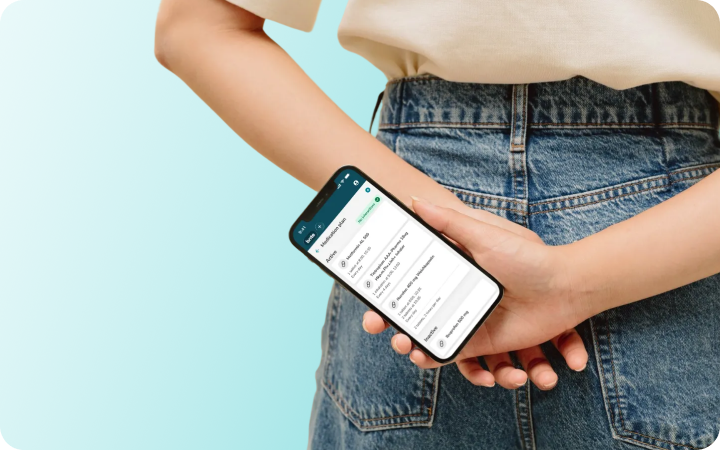
A smart reminder has a memory. With the brite medication reminder, you can utilize intelligent buffers:
The "Snooze" Function: In a meeting or driving? Postpone your intake by 15 minutes. The app won't "let you off the hook" until you have actively confirmed the dose.
The Check-Off (Confirmation): This is the most crucial step in preventing double-dosing. One tap, and the uncertainty of "Did I already take it?" disappears instantly.
Underestimating "Fasting": If you set a reminder for a medication that must be taken 30 minutes before eating, set the alarm for your wake-up time, not your breakfast time.
Ignoring PRN (As-Needed) Meds: Document your painkillers too. Set reminders for the "maximum daily dose" to protect your liver and kidneys from accidental overuse.
Shift Work: Adjust your profiles within the app. Unlike paper lists, digital plans are flexible and move with your shifting rhythm.
brite is more than just a simple alarm; it’s your digital health assistant:
Precise: Intake times and specific instructions (e.g., "with food" or "empty stomach") at a glance.
Safe: Cross-referencing combinations via the interaction checker.
Relieving: All data for your doctor is readily available in your medication plan at any time.

